
Challenge
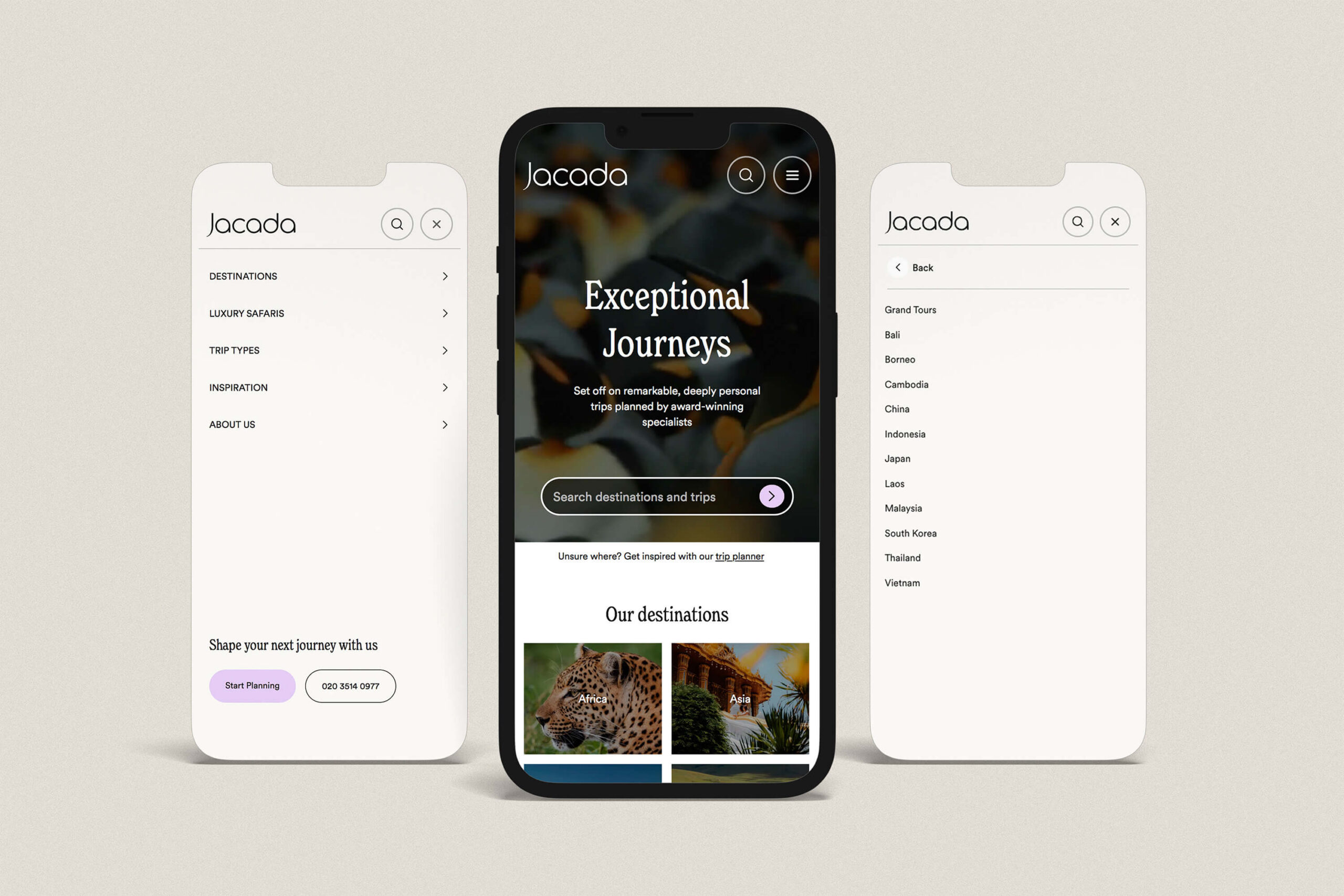
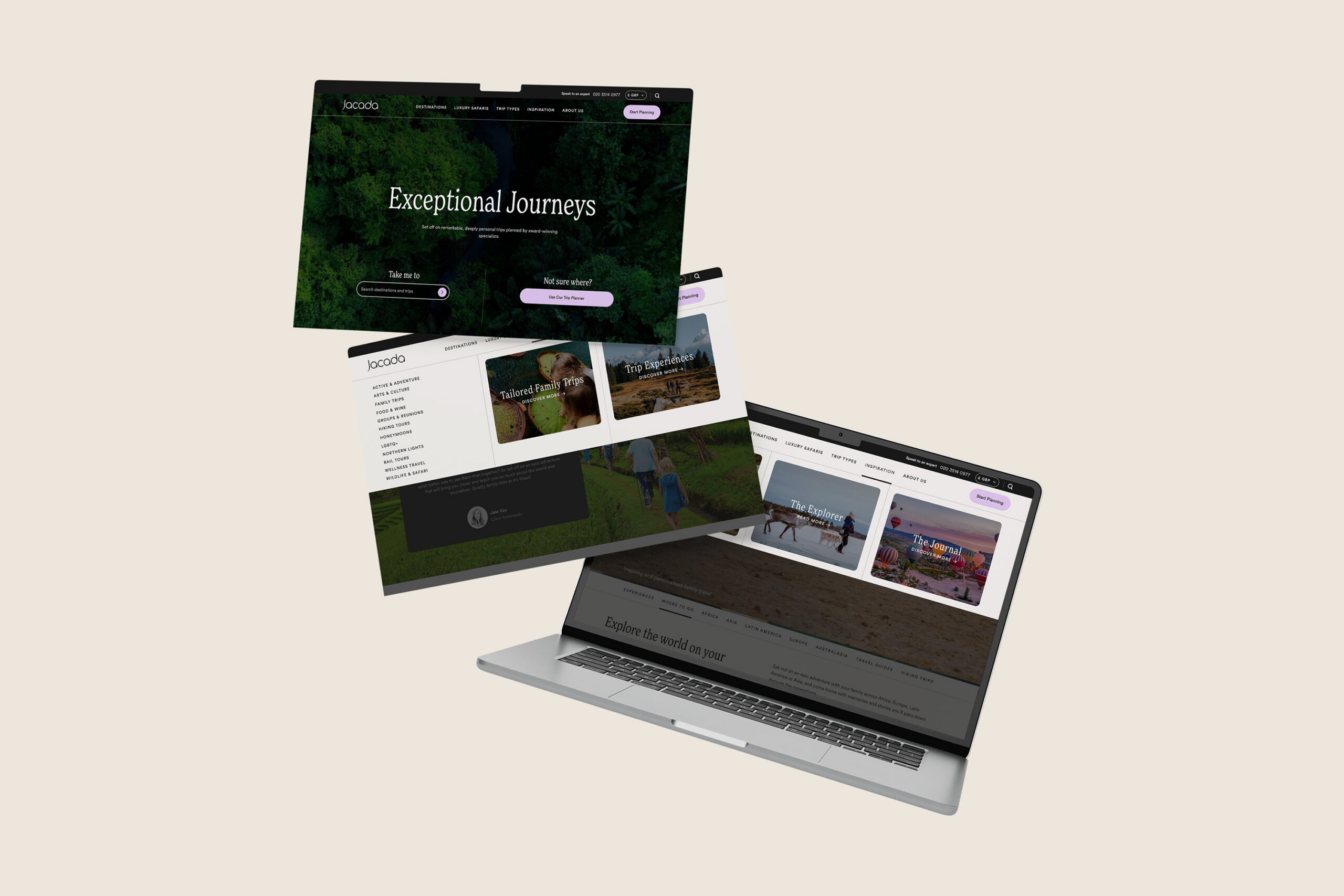
Jacada’s navigation and footer required a major overhaul to make the main menu look and feel more modern, visually appealing and user friendly and to improve SEO, GEO and site-speed performance.
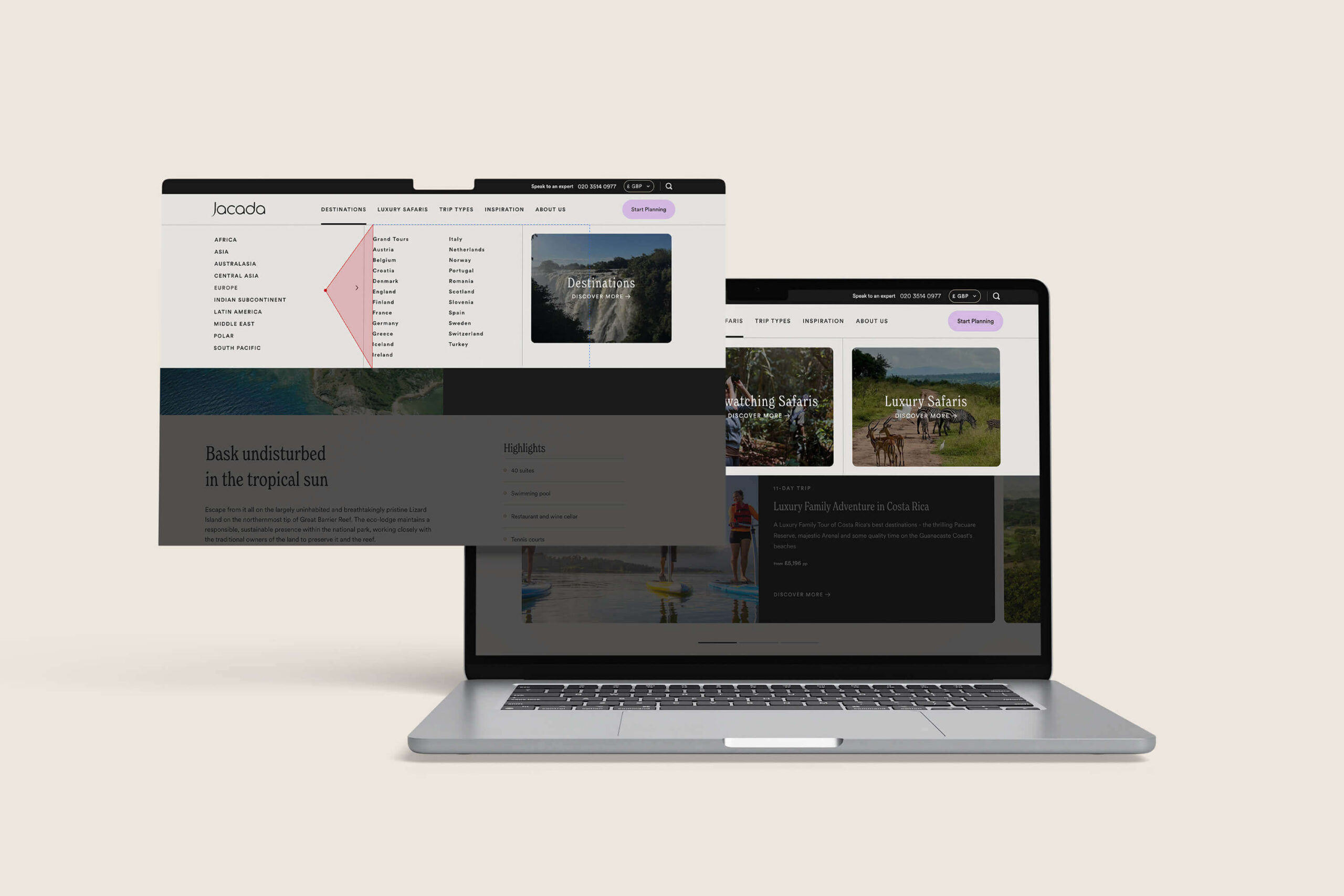
A picture paints a thousand words so we also wanted to include imagery with in a flexible and intuitive way for CMS editors to manage so that clear customisable CTA cards could be injected into the markup and display fluidly on hover.
Part of the challenge here was working within the headless React-based SSR architecture – an easy place to introduce code bloat and technical debt if not implemented correctly.
Key targets were observed during the build for this:
- The new menu needed to meet WCAG 2.2 accessibility standards and be keyboard navigable and fully compliant for screen-reader users
- This had to be built for performance, with above the fold images in the <nav> intelligently lazy loaded on demand (when users interact with the menu), and not loaded up front in a way that might impact load times or negatively affect CWV metrics.
- The application of CTA image cards had to have enough flexibility to be intuitive and simple for content editors to author in the CMS.
- The turnaround from design handover to build had to be timely and efficient, to get the new look live ahead of Jacada’s peak season.
Solution
- High end imagery that does not slow down performance: Card images only download when someone opens that menu. Every link is still in the page HTML from the start, so search engines see the whole site structure.
- Tasteful animations: Subtle hover transition effects and animations run in the browser’s styling layer, so the page doesn’t have to redraw itself each time.
- Avoiding a common pitfall of hover based mega menus: We implemented a “safe triangle” technique (similar to the approach used by Amazon) which stops a menu switching to the wrong section while the users cursor moves diagonally up or down to a sub navigation.
- Accessibility built in from the ground up: Semantic markup, area labels, keyboard focus states, reduced-motion settings, and separate mobile tap targets for “go to this page” and “open this section”, which cuts mis-taps.
- Easy editor management: Jacada’s team can now manage menu cards, utility links, press logos, awards and social links in the CMS. Nothing is hard coded, Jacada have full editorial control.